
Back to Tutorials
Downloading DraftKings Contest Data
The Contest Analysis feature in the Daily Fantasy Optimizer allows you to analyze contest results from DraftKings. To use this feature, you need to download a contest data CSV file from DraftKings. This quick tutorial walks through the steps for downloading your contest data with screenshots. For more details, see the DraftKings support page.
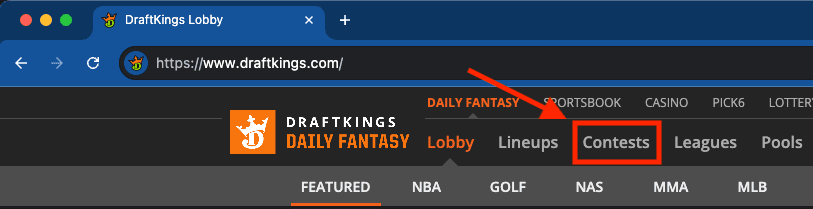
Step 1: Navigate to the Contests Tab
Go to draftkings.com and click the "Contests" tab.
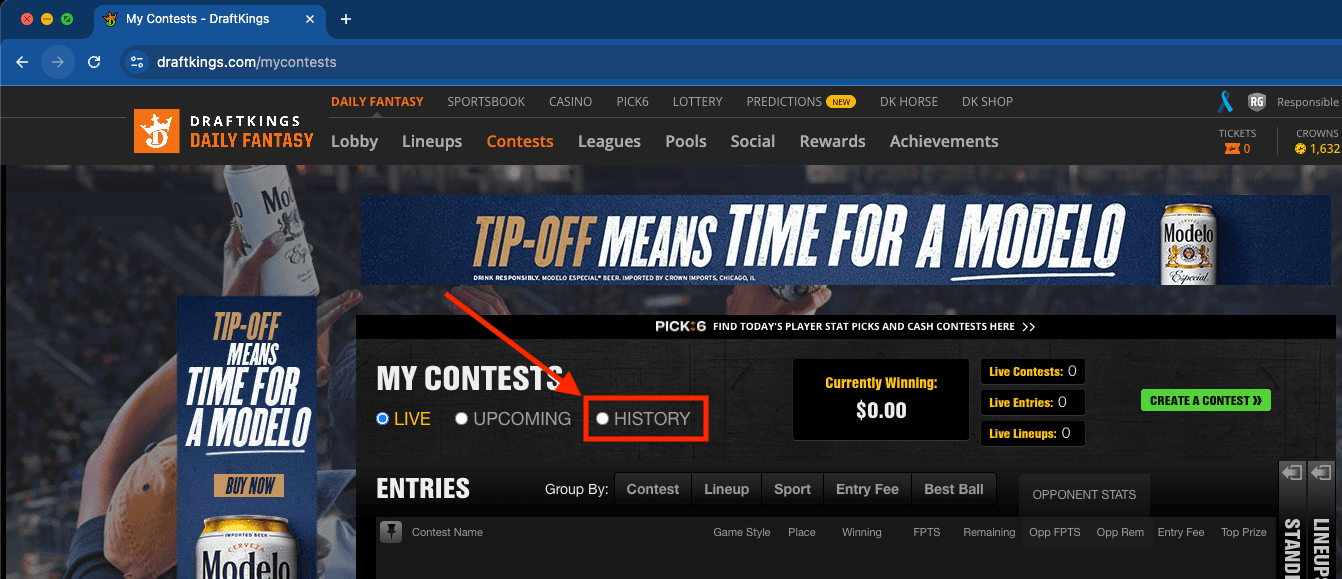
Step 2: View Contest History
Click the "History" button to show your past contests.
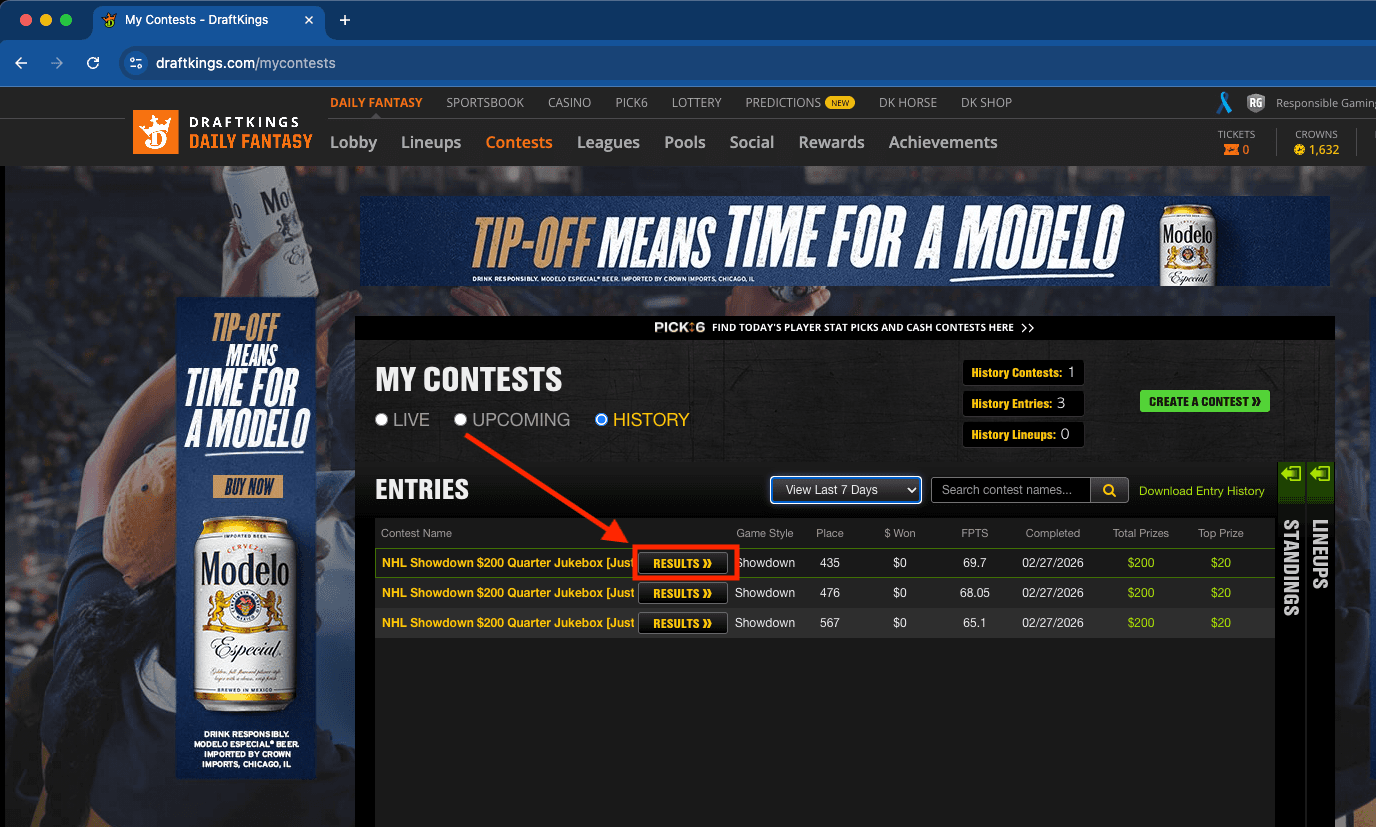
Step 3: View Contest Results
Click the "Results" button for the contest you'd like to download results data for.
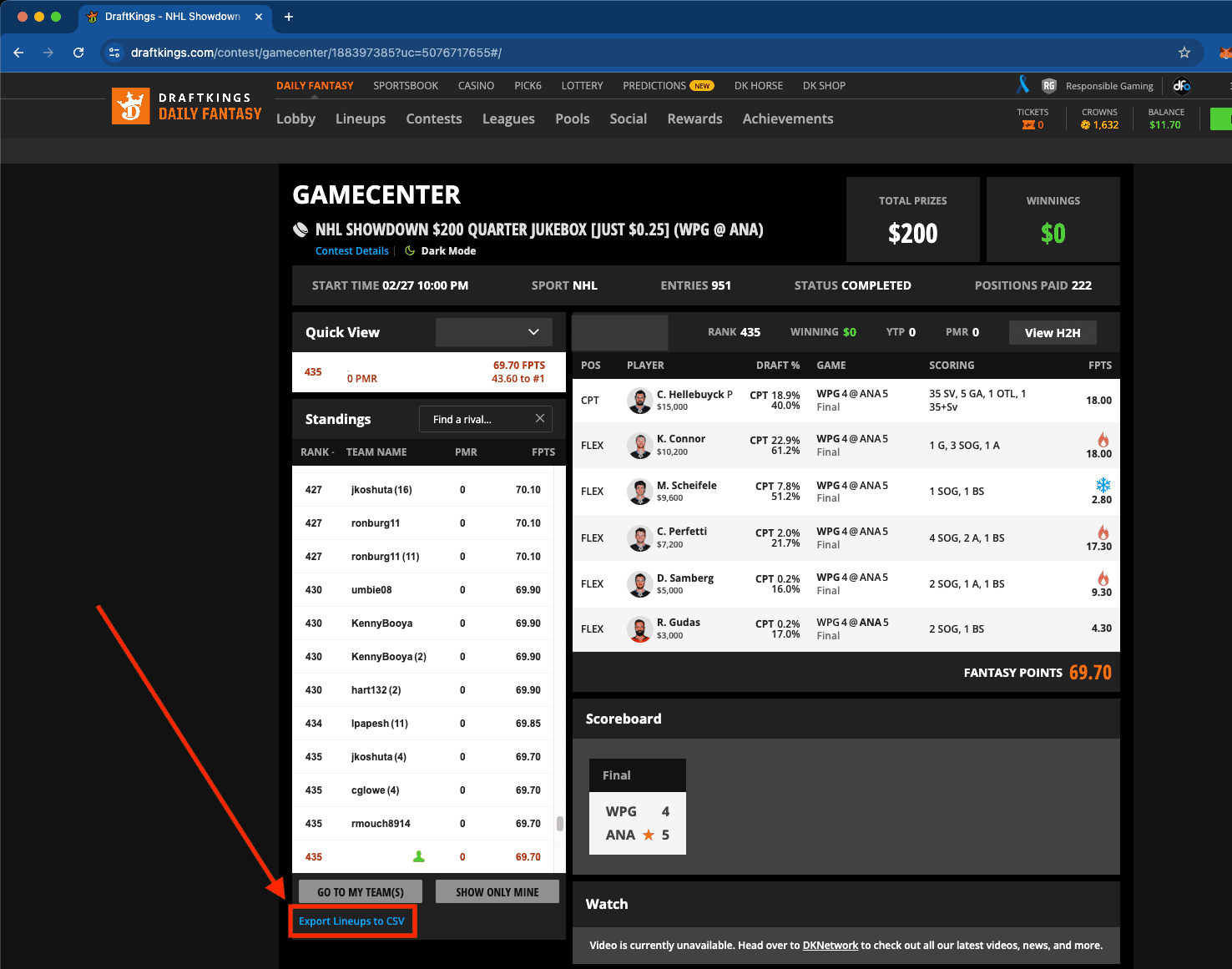
Step 4: Export Lineups to CSV
Click "Export Lineups to CSV" to download the contest data file. This CSV file can then be uploaded to the Contest Analysis page in the Daily Fantasy Optimizer.
Back to Tutorials
Play Responsibly: The Daily Fantasy Optimizer was created to make high-level fantasy tools free and accessible to everyone. We don't accept bets or host paid contests. Real-money DFS participation requires players to be 21+ (18+ in select states). If you or someone you know is struggling with gambling, call 1-800-GAMBLER or visit 1800gambler.net for 24/7 free support.

© 2026 DBS Analytix LLC.